
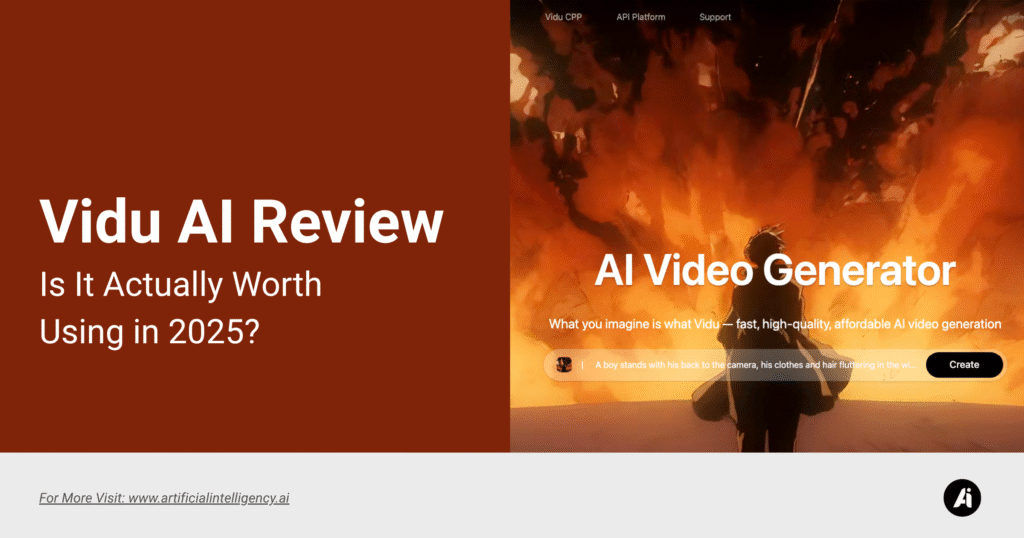
The rise of Vidu AI made a lot of us do a double-take.
Text to video? In seconds? And not just a slideshow with music slapped on top, but actual footage that looks like it came out of a film studio?
Yeah, it’s wild.
So naturally, I tried Vidu AI, and it’s wild how fast it spins your ideas into short, stylized videos. You type or drop in an image, and a few seconds, you’ve got a 1080p clip with motion, voice-over, music, and captions.
No editing timelines, no tinkering in post, just pure visual flow. The fact that you can get a complete, coherent video in under 15 seconds still feels unreal.
If you want to animate a concept, give motion to a static image, or test out different vibes before committing to something bigger, this tool might just hit the spot. It’s not trying to be an all-in-one suite or a cinema-grade editor. It’s quick, clean, and wildly fun to experiment with.
In this review, I’ll break down what makes Vidu tick, what it’s good for, what’s still clunky, and how much it’s going to cost if you decide to run with it.
- What Is Vidu AI
- Key Features of Vidu AI
- Use Cases of Vidu AI
- Pros and Cons of Vidu AI
- Pricing Breakdown of Vidu AI
- Accuracy & Limitations of Vidu AI
- How Vidu Compares to Other AI Video Tools
- Tips to Get Better Results with Vidu AI
- Who Should Use Vidu AI (And Who Probably Shouldn’t)
- Final Thoughts: Is Vidu Worth It?
- FAQs About Vidu AI
What Is Vidu AI
Vidu AI is a next-gen video generation platform created by ShengShu Technology. It’s built to convert text prompts, images, or reference frames into short 1080p video clips in a matter of seconds.
It’s been out since early 2023, but the more recent Q1 model has leveled up on every front: better motion, sharper resolution, and far less visual noise or distortion.

There are three main ways to generate content:
- Text-to-Video, where you describe the scene and it creates a 4- to 5-second clip from scratch.
- Image-to-Video, which animates a still photo into a short motion sequence.
- Reference-to-Video, where you upload two or more frames and let Vidu generate the in-between movement.
What makes it stand out isn’t just the modes, it’s the speed and consistency. Where other tools might take a minute or two and still mess up facial structure or motion blur, Vidu usually nails the fundamentals in 10 seconds flat. It’s lean, creative, and weirdly satisfying to use.
Key Features of Vidu AI
1. Lightning-Fast Output

Vidu doesn’t just beat other tools, it laps them. A four-second video takes about ten seconds to generate. For people who create content on the fly or iterate fast, that’s a game-changer.
You can try twenty ideas in five minutes, pick the strongest one, and go. It gives you room to explore without the time tax. No waiting around, no previews. Just click and go.
2. High Visual Quality

Unlike some AI video tools that glitch out on detail, Vidu produces seriously watchable clips. Faces hold up well. The lighting shifts realistically.
Movements don’t jerk around like puppets. It’s still not perfect, hands can be iffy, and expressions sometimes feel neutral, but the overall vibe is cinematic and smooth.
Plus, 1080p resolution is the default, not a paid upgrade.
3. Flexible Input Options

Vidu isn’t locked into one mode. Some days, you just want to type a poetic line and see what it gives you. Other times, you need to animate a specific photo or explore frame-by-frame continuity.
With Text, Image, and Reference modes, you can toggle between abstract storytelling and hands-on control depending on the project. It adapts to your workflow, not the other way around.
5. Built-in Templates

There are dozens of motion templates, like “hug,” “head turn,” “walking,” and “fight”, that can be layered over your content.
This is huge for social content creators and meme makers who want trendy formats fast. It feels a bit like using a TikTok effect: grab a preset, drop in your input, and watch the results unfold.
It’s one of the quickest ways to jump from idea to viral.
6. Clean Interface
The dashboard is minimal in the best way. Sliders let you adjust motion intensity, timing, visual strength, and scene layout.
You’re not hunting through menus or buried settings. Even if you’ve never touched a video editor in your life, you’ll know what to do.
And if you have edited before, you’ll appreciate how little Vidu gets in the way.
Use Cases of Vidu AI
1. Short Form Content
Let’s be real, Reels, TikToks, and Shorts are where most video content lives now. Vidu’s fast, flashy visuals are a perfect fit. You can animate a selfie, add background drama, and post something fresh in under a minute.
The tool’s built-in templates do half the work. Add a few words, some music, and you’ve got a micro-viral post. Great for creators looking to pump out multiple videos per day without burnout.
2. Product & Brand Promos
If you run an e-commerce brand or launch products, Vidu is a sneaky tool to have in your stack. You can take static product shots and give them motion, without staging a full shoot.
Use it for ads, headers, or website visuals that need that animated touch. The motion brings attention. The realism holds it. And you’re not stuck hiring a videographer for every launch.
3. Experimental Visuals for Artists
Designers, concept artists, and illustrators can use Vidu as a sandbox. Take sketches or photos, test out motion direction, and iterate on storytelling elements.
The feedback loop is so fast, it invites risk. Even failed attempts help you discover new angles. Some users even create mock scenes before animating them in real production.
4. Visual Aids for Presentations
You can turn a simple sentence like “build a city from ruins” into a visual metaphor that enhances a pitch or internal briefing.
In educational settings, Vidu lets instructors visualize abstract topics or dynamic events without filming or sourcing clips. Perfect for explainer decks, lesson intros, or even brainstorming sessions.
5. Moodboards That Move
Creative agencies often make static moodboards to pitch a concept. Vidu lets you take that same aesthetic, photos, ideas, and keywords, and turn them into motion.
Imagine proposing a campaign vibe with a 5-second clip that moves. It sells the idea better than a PDF ever could.
Pros and Cons of Vidu AI
Pros
- Stupid fast rendering, seriously, 10 seconds for a clean 4-second video is wild.
- Clean 1080p output, no grainy fuzz, no watermarked previews. It’s clear and crisp.
- Input flexibility, you’re not boxed into one method. Type it, show it, or mix frames.
- Beginner-friendly UI, no learning curve. Just jump in and go.
- Built-in action templates make things more visual, especially for social clips.
- Free credits for new users, you can try it properly before spending a dime.
Cons
- Limited motion range, don’t expect full-on action scenes. It’s more subtle gestures and transitions.
- Prompt detail hit-or-miss. Longer prompts sometimes flatten or misinterpret key elements.
- Not great for longer stories, Best for single shots or mood snippets. Not full narratives.
- No audio editing control, you can’t fine-tune music or voices yet.
- Pricing ramps up fast. More on that next.
Pricing Breakdown of Vidu AI
Vidu AI uses a credit-based pricing model, where each video generation costs a certain number of tokens depending on resolution, animation length, and input type.
This keeps things flexible, but also a bit unpredictable if you’re experimenting a lot.
Here’s the current pricing tier (based on public data and user-reported experience):
- Free Plan
- ~60 credits upon signup
- Access to all three generation modes
- Limited to 720p resolution
- Slightly slower generation priority
- ~60 credits upon signup
- Pro Plan – ~$20/month
- 800–1,000 credits per month
- Priority rendering
- 1080p output
- Access to commercial usage license
- Basic team sharing options
- 800–1,000 credits per month
- Custom/Enterprise Plans
- For studios or agencies
- Credits can be scaled by need
- Shared workspace and multi-seat control
- Enhanced motion range (available in pilot)
- For studios or agencies
Each 4-second video generally costs 6 to 8 credits. So you can expect 100 to 130 videos per month on the mid-tier plan. But beware: longer videos (if available via updates) or high-motion sequences may cost more.
Also worth noting, unused credits don’t roll over, and currently, there’s no per-video purchase system. If you don’t use your monthly batch, it’s gone.
Accuracy & Limitations of Vidu AI
For something so fast, Vidu holds up surprisingly well. But it’s not a magic wand, and it stumbles in areas you’d expect from an evolving AI model.
Facial expressions? Decent, but they sometimes feel locked in neutral. Dynamic interaction (like two people high-fiving or running toward the camera)?
Tricky. It tends to keep motion grounded in a single axis. You’ll get head turns, zooms, and hand gestures, but rarely a convincing sprint or complex emotional transition.
As for text prompts, simple works better. “A girl in a yellow hoodie walking through fog” yields stronger visuals than “a moody teenager stepping into a post-apocalyptic wasteland while clutching a book of poems.” Too much nuance gets flattened.
Backgrounds can also drift or warp slightly if you’re using reference-to-video. It tries to interpolate motion, but edge details or object structure sometimes get weird if the frames are too different.
You can tell it’s evolving fast, though. Each model upgrade improves skin tone rendering, light consistency, and camera movement. It’s not flawless, but it’s leagues better than some AI video tools I tested even just months ago.
How Vidu Compares to Other AI Video Tools
So how does Vidu stand next to other popular tools like Pika, Runway, or Gen-2? Each has its niche, but here’s where Vidu wins, and where it trails:
Vidu vs Runway
- Runway shines in storytelling and longer video scenes, but it’s slower and more expensive.
- Vidu is better for quick, stylized bursts, think social posts, reactions, or short animations.
Vidu vs Pika
- Pika offers better camera control and some cool cinematic templates.
- But Vidu feels more stable, especially with faces and fast rendering.
Vidu vs Gen-2
- Gen-2 by LumaLabs is still more experimental, with artsier aesthetics and deeper prompt logic.
- Vidu, though, is more practical. It gives you “Instagram-ready” clips, not concept art.
In short, if you want creativity plus speed, Vidu feels like the best daily-use AI video generator right now. It’s also the least frustrating when you’re in a rush.
Tips to Get Better Results with Vidu AI
Want better output? Here’s what’s worked for me (and others):
- Keep prompts short and clear
Use specific objects, one emotion, one action. Example: “A robot reading under a tree at sunset.” Don’t try to squeeze in tone, theme, lighting, and narrative at once. - Use image-to-video mode for realism
If you have a still portrait or scene mockup, start there. Vidu’s motion interpolation on image input is often more stable than text-only generations. - Play with action templates
The built-in “turn head,” “hug,” or “jump” options aren’t just gimmicks, they’re optimized for smoother transitions. They also reduce janky limbs or floating objects. - Test different prompt tones
Try emotional adjectives (“lonely,” “ecstatic,” “worried”) instead of technical ones. Emotion drives clearer AI choices than camera jargon or lighting terms. - Don’t push it too hard
Four to six seconds is the sweet spot. Pushing beyond that (if unlocked in future updates) sometimes causes visual drift or repetition. Think of Vidu as a punchy visual sketchpad, not a short film studio.
Who Should Use Vidu AI (And Who Probably Shouldn’t)
Vidu is built for speed and style, not for deep narrative control. So if you’re making motion graphics for Instagram, experimenting with AI art, or building pitch visuals, it’s perfect. It’s also a great fit for teachers, marketers, product designers, and agencies who need quick, visual proof-of-concept material.
But if you’re looking to create:
- Multi-scene stories with cuts and transitions
- Voice-synced characters or lip-sync
- Interactive animations or dialogue-driven visuals
…it’ll feel a bit restrictive.
This isn’t a tool for full-blown filmmakers or animators with layered storyboards. It’s for people who move fast, ideate visually, and want to skip the heavy lifting of traditional editing tools. If that’s your vibe? Vidu’s a solid yes.
Final Thoughts: Is Vidu Worth It?
If you’re chasing speed, style, and low-lift creativity, Vidu AI delivers. It’s not trying to be a film studio or replace full-on editors; it’s here to give you instant, good-looking video from almost nothing.
For creators who need quick output, marketers who want polished visuals, or artists just messing around with motion, it’s a powerful tool in the back pocket.
It won’t suit every use case. Long-form storytelling, precise animation, and nuanced scene direction are still out of reach. But for what it is, a fast, fun, and surprisingly polished video generator, it hits the mark.
The pricing is fair if you produce regularly, the learning curve is almost zero, and the results are honestly better than most competitors.
Vidu feels like the Canva moment for short-form AI video. Not perfect. But way more capable than it needs to be, and that’s what makes it exciting.
FAQs About Vidu AI
How long can Vidu videos be?
Most outputs cap around 4 to 6 seconds, depending on the mode and template you choose. It’s built for short, snappy clips, not full-length scenes.
Can I use Vidu videos commercially?
Yes, if you’re on a paid plan. You get a commercial use license that covers ads, client work, and monetized social content. The free plan is just for personal use or testing.
Does Vidu support voice-over or audio editing?
Not right now. Some templates include auto-generated music or ambient sound, but there’s no feature to upload or sync your audio. Most users add that in the post.
What’s the best mode to start with?
Image-to-Video. It’s easier to control and usually produces more stable output. Text-to-Video is fun but can be unpredictable if your prompt gets too complex.
Can I cancel or pause my subscription?
Yes, Vidu allows you to cancel anytime. Just know that unused credits expire at the end of your billing cycle…they don’t roll over.